

So you got into GITAM and now someone told you to check the portal for your timetable or fee details. You open the site and suddenly there are three login buttons and you have no idea which one is yours. Do not worry, almost every fresher goes through this exact same confusion. I have been there too. Let me break it down properly so you do not have to run around asking random seniors in the corridor.
What Is This My GITAM Thing Anyway?
My GITAM is just the online portal for Gandhi Institute of Technology and Management. It is basically where the university keeps all your academic stuff. Whether you study in Visakhapatnam, Hyderabad or Bengaluru, everyone uses the same website. It is meant for three kinds of people: students, teachers and parents. Each group clicks a different button but all of them end up inside the same system. Think of it like entering a mall from three different gates. Same building, different entrances.
How to Actually Open It
- There are two ways to reach the login page and both are super simple.
- The first way is to just type login.gitam.edu in your browser and hit enter.
- The second way is to go to the main university website gitam.edu and look at the top right corner. You will see a link that says My GITAM. Click that and it takes you straight to the login page.
That is all. No app to download, no QR code to scan.
If You Are a Student, Do This
When the page loads you will see three options. Click on Student Login. Now here is what you do next.
- Type your User ID. This is usually your registration number or roll number that the university gave you during admission.
- Type your password.
- Click the Login button.
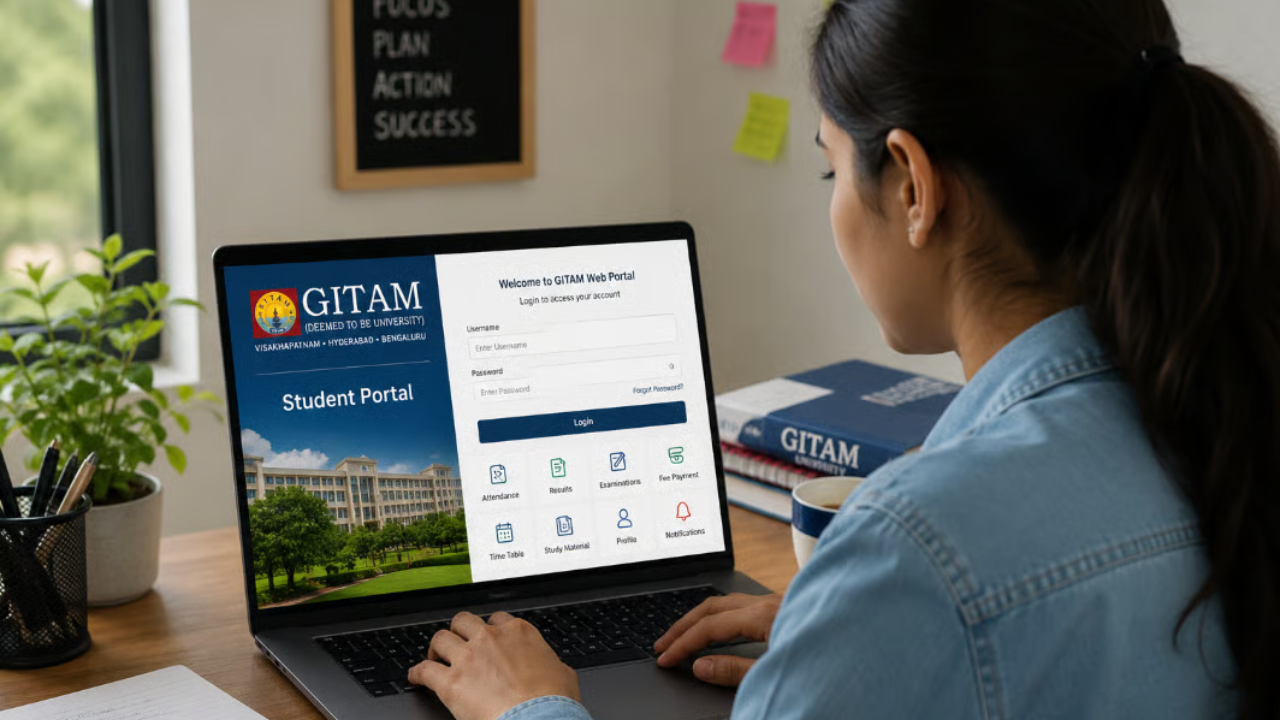
And you are inside.
Once you log in, you will see your dashboard. From there you can check your class timetable, see how many lectures you have attended, look at your internal marks, submit assignments, check your fee status, download your exam hall ticket and view your results when they come out. Earlier, students had to stand in queues at the admin office for half of these things. Now it is all on one screen.
If You Are a Teacher or Staff Member
Faculty members and university employees also use the same website, but they click on Employee Login instead of the student one. You enter your Employee ID and your password. Once inside, you can manage your class schedules, upload student marks, track attendance and handle admin work. It makes life easier because you do not have to fill physical forms for every small task.
If You Are a Parent
This part is actually pretty cool. Parents often worry about how their child is doing in college but calling the office every other day is not realistic. GITAM has a separate parent portal for this exact reason. The link is gparent.gitam.edu.
Here is how parents log in.
- Open gparent.gitam.edu
- Enter your registered mobile number.
- Click to request an OTP.
- Type the OTP when it arrives on your phone.
- Click Login.
That is it. No password to remember. No complicated setup. Just your phone and the OTP code.
Once parents are logged in, they can check daily and semester wise attendance, see SGPA and CGPA scores, look at hostel leave details, check check in and check out timings, view dining information and even pay fees directly through G Pay. If something goes wrong and the login does not work, parents can call the helpline at 0891 2840555. Someone on the other end will sort it out.
Read Also: Classroom.30x: Improve Interactive Learning with the Platform
What About Medical Students?

If you are studying at GITAM Institute of Medical Sciences and Research, also called GIMSR, then you have a slightly different portal. The address is gimsrlogin.gitam.edu. The process is the same though. Enter your User ID and password and you get access to all your medical college records and schedules.
What Can You Actually Do Once You Are Inside?
Here is a quick list of the main things the portal lets you handle without visiting the campus.
You can view your class timetable. You can check your attendance for each subject. You can see your internal exam marks and your final semester results. You can download your hall ticket before exams. You can submit assignments or check if they were received. You can pay your semester fees online. You can update your personal contact details and address. You can track your overall CGPA and SGPA.
It really is a one-stop shop for most of your academic needs.
When Things Go Wrong
Let us talk about the problems because they do happen.
Forgot your password? It is more common than you think. On the login page, look for the Forgot Password link. Click it and enter your registered email address or mobile number. The system will send you instructions to reset your password. Just follow them and you will be back in within a few minutes.
Is the page not loading at all? First, check if your internet is working properly. Then make sure you are using a decent browser like Chrome or Firefox. Sometimes the page gets stuck because of old cache data. Just clear your browser history and cookies and try again. That fixes it most of the time.
Parents not getting the OTP? Make sure you are typing the exact mobile number that is registered with the university. If the number is right and the OTP still does not come, wait a minute or two and hit resend. Network delays happen. If it still fails after multiple tries, just call that helpline number I mentioned earlier.
Locked out of your account? If you type the wrong password too many times, the system locks you out for safety. Do not panic. Just wait for about fifteen to twenty minutes and try again. If it still does not unlock, contact the university IT support. They deal with this daily so they know exactly what to do.
A Few Things to Keep in Mind
Do not share your login ID and password with anyone. Not your roommate, not your best friend, nobody. Change your password every few months just to be safe. Always log out when you finish, especially if you are using a computer in the college lab or a shared laptop. And please be careful about fake links. Only use the official addresses which are login.gitam.edu, gitam.edu and gparent.gitam.edu. If some random message sends you a different link, do not click it.
Final Word
The GITAM web login system looks complicated when you first see it because there are three different buttons and you are not sure which one is yours. But once you figure out your path, it is honestly very simple. Whether you are a first-year student trying to find your class schedule, a parent checking attendance from home, or a professor uploading marks, My GITAM handles it all. Just save the login page in your bookmarks, keep your password safe, and you are good to go. No more standing in long lines at the admin block. Everything you need is already on your screen.
Read More: Kracensoft.com Review: What It Is, Features and Is It Safe to Use?
